Products


SMS Pro allows for multiple product lines. A product line can have one or more categories. Each category has one or more products, subcategories, package types and features.
The product hierarchy is found under the configuration tab by clicking on the Product Lines folder.
The product hierarchy in SMS Pro consists of one or more product lines.
Under each category, products are defined using the following components:
SMS Pro offers three tier pricing by tech zone for each tech provider. Each component that makes up a product has a price associated with it. This is particularly helpful when working with seed treatments.
By selecting a category, the products will be listed just right of the hierarchy tree that will allow to select which combination of products are available. Important note: At least one check box in each area is required for the product to be able to be added to an order or a shipment.
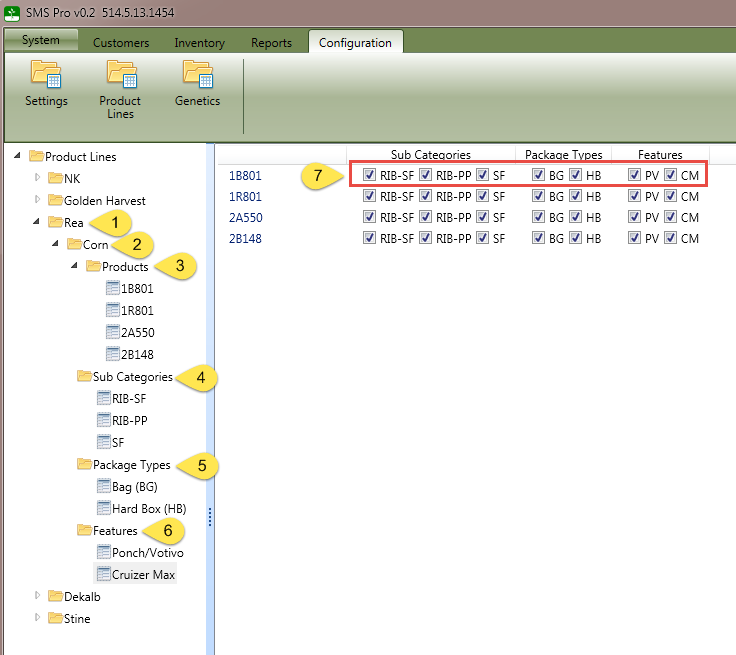
To add an item to a folder, right click on the folder and select the corresponding Add New menu option.
Each product component is described in detail in the following sub topics.