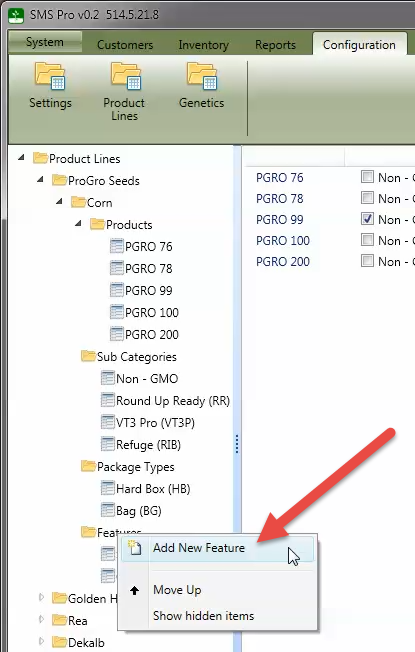
Feature Properties


Features are additional options that are available to be selected for a product which are optional. With Corn and Soybeans, this is commonly used to allow selection of seed treatments. Features may have a price associated with them that will be added on to the base price of a product.
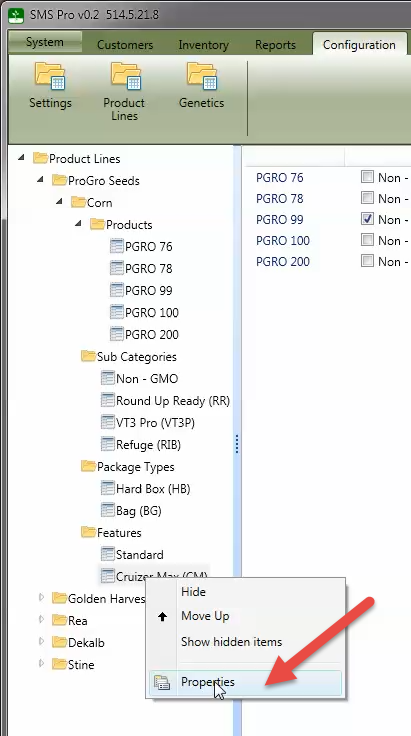
Each feature in the tree can be edited by right clicking on the name and selecting the Properties menu option.
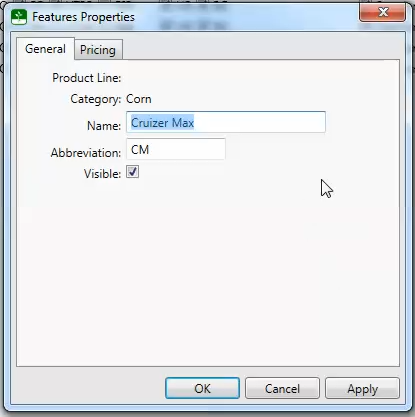
A feature can have a separate name and abbreviation. The abbreviation will be used in areas where there is limited space available. These can be the same if needed. Features are not allowed to be deleted from the system, but they can be hidden which will allow discontinued products to be removed from lists.
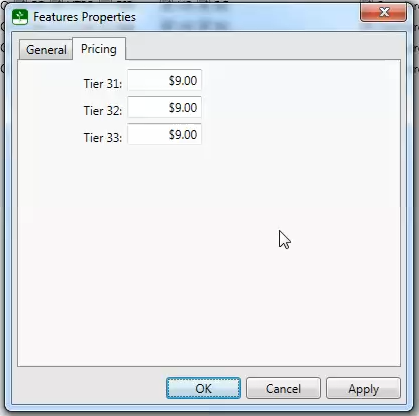
Features can have a price associated with them that will be added on to the base price of a product.
To add a new feature to a category, right click on the category name or the Features folder and select Add New Feature from the menu as shown here.