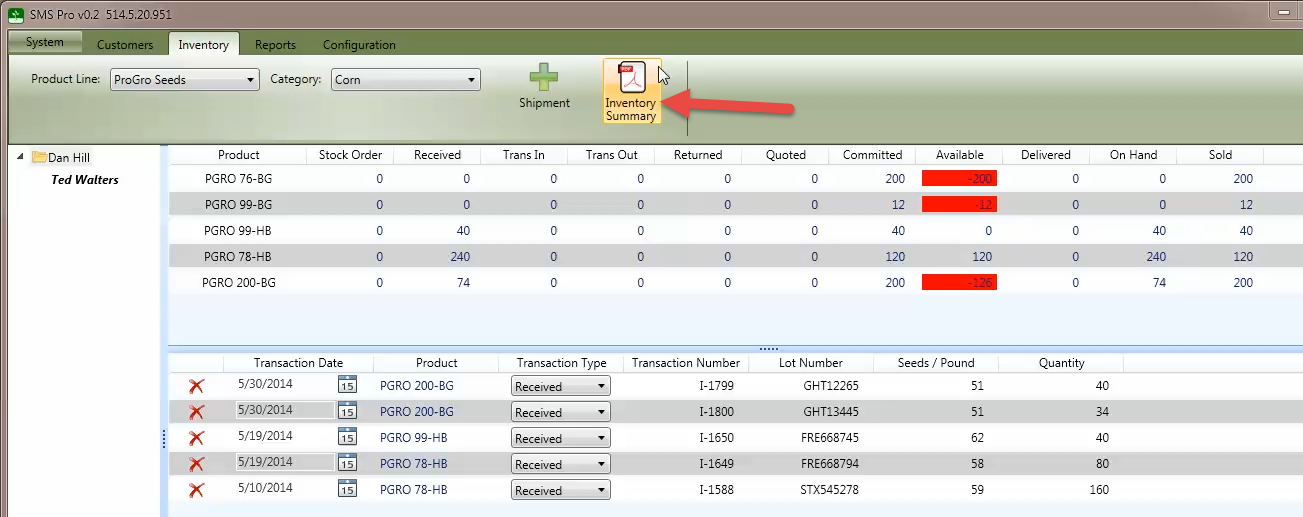
The Inventory Summary consists of all products on the orders and shipments. The inventory also automatically tracks how many units of a particular product has been received, is on hand, and has been delivered.
The definition of the inventory summary columns is as follows:
- Stock Order - Product ordered from the seed company.
- Receiving - Product received from the seed company or seed treater.
- Trans In - Product transferred in from another dealer.
- Trans Out - Product transferred out to another dealer.
- Returned - Dealer returns to the seed company or seed treater.
- Quoted - Number of units that have been placed on a quote.
- Committed - Number of units that have been placed on an order that have not been delivered.
- Available - This is the difference between the items received and the items committed. If this is highlighted in red, signifies an inventory shortage.
- Delivered - Number of units that have been placed on an order that have not been delivered.
- On Hand - Number of units that physically present at a dealer's location.
- Sold - Number of units that have been placed on an order regardless of the delivery status.
After selecting the product line and category, the information can be exported or printed by clicking the Inventory Summary button (red arrow) as show below.
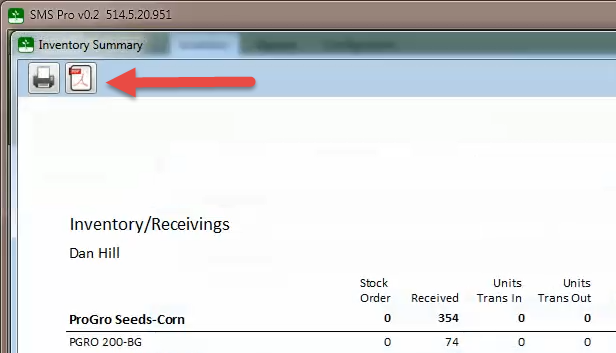
Once the report is visible, select either the Print or the Export to PDF button at the top left hand corner of the window.