The Reports tab lists the different reports that can be generated from SMS Pro.
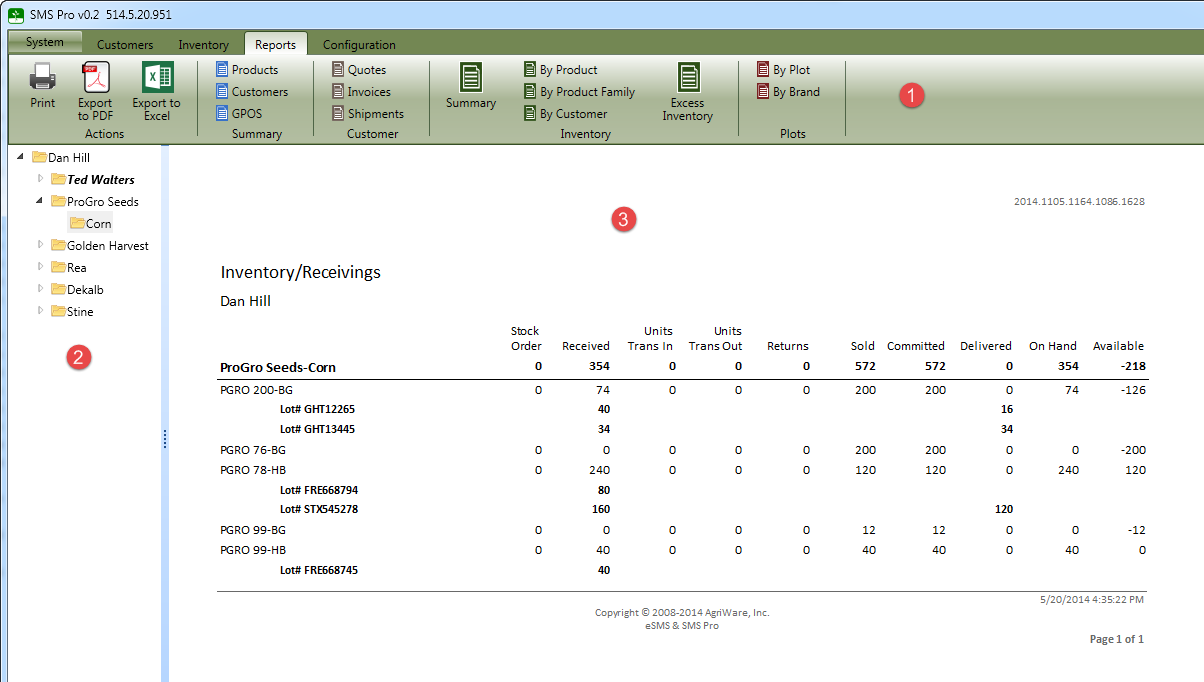
The report tab has three sections:
- Ribbon - The ribbon is divided into five groups, click on each item for more information.
- Actions - these are printing and exporting reports to different formats.
- Summary - these reports can be used to export information to Excel for use outside of SMS Pro. A common example is creating mailing labels or finding GPOS information.
- Customer - these reports summarize the customer quotes, invoices and shipments.
- Inventory - these reports summarize the dealer inventory.
- Plots - these are for displaying the information regarding the plot data.
- Report options - These are visible if required by the selected report.
- Report results - After the report and options(if required) are selected, the report will be displayed

