Inventory Tab


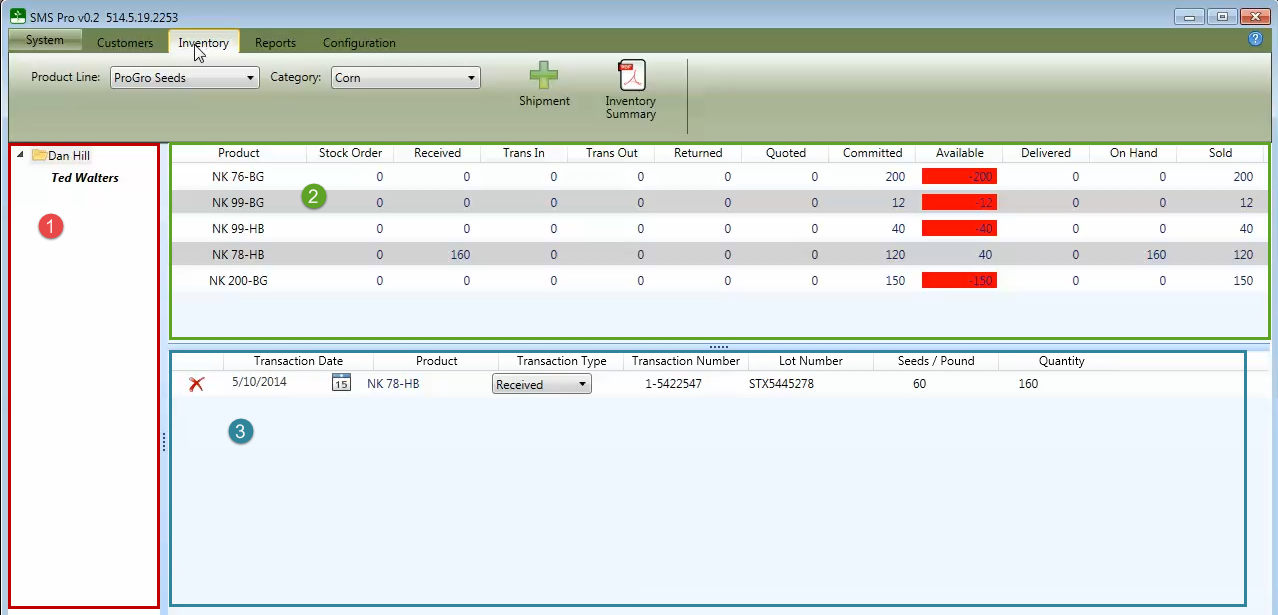
The Inventory screen is divided into three sections:
 Dealer Listing - This shows dealer and sub dealers, and is very similar to the customer listing on the Customer tab.
 Inventory Summary - This section summarizes all transactions from orders and shipments. The Inventory summary automatically tracks how many units of a particular product has been received, is on hand, and has been delivered.
 Shipment Transactions - This section lists all shipments for the selected product line and category. Please refer to shipment sub-topic for more information regarding managing shipments.