Add


Shipment transactions can be added by either selecting a product in the inventory section or by pressing the Add Shipment button
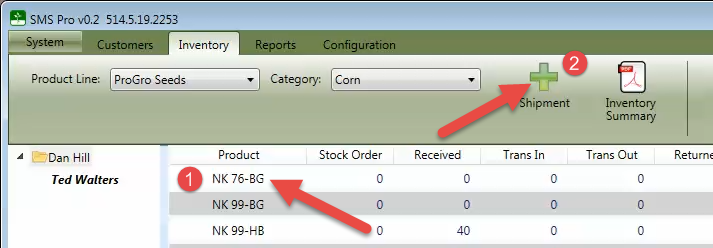
If the product is not already listed in the inventory summary, you can click the Add Shipment button. This will display the product selection dialog window and allow you to select a new product.
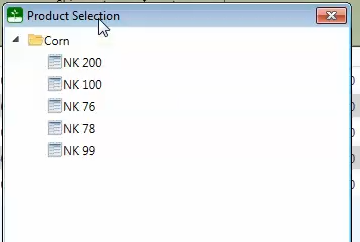
This would be commonly used for products not on an existing order or for adding stock orders at the beginning of the sales season.