Customers Tab


Customer related tasks include:
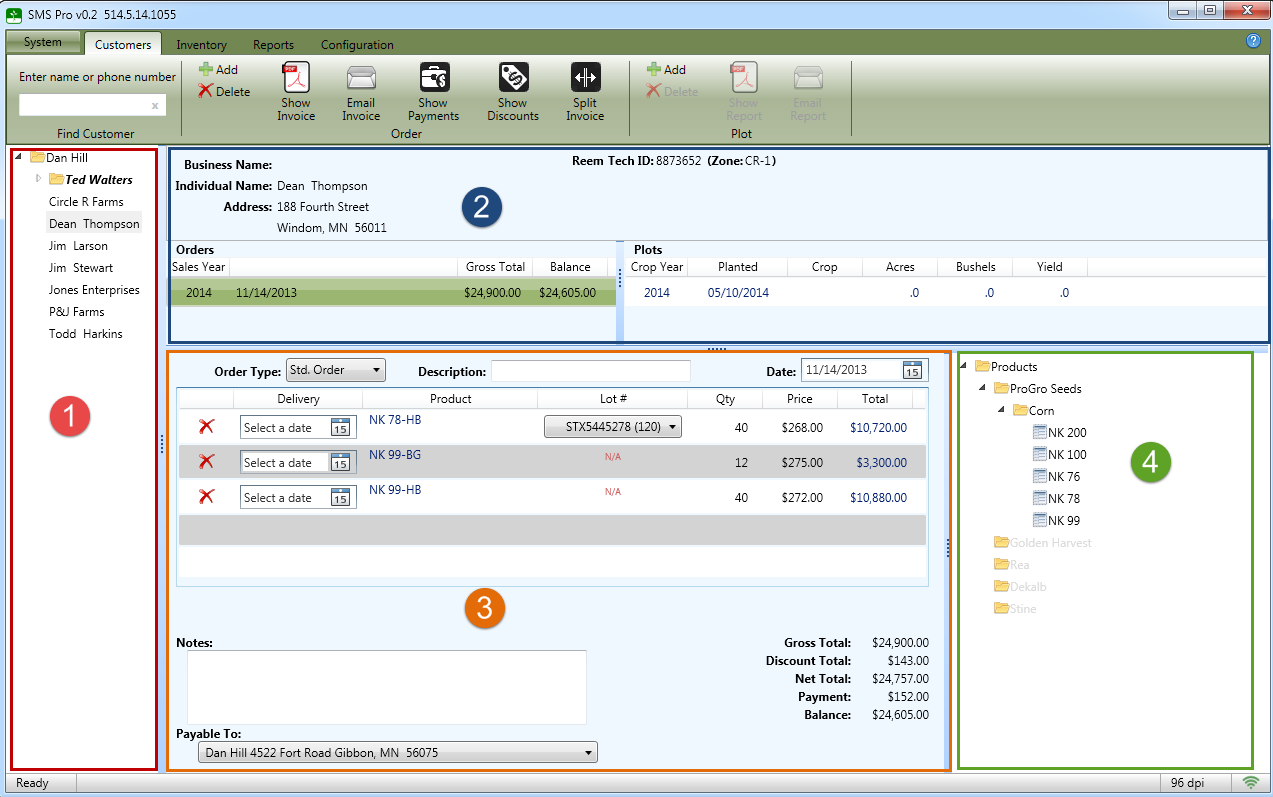
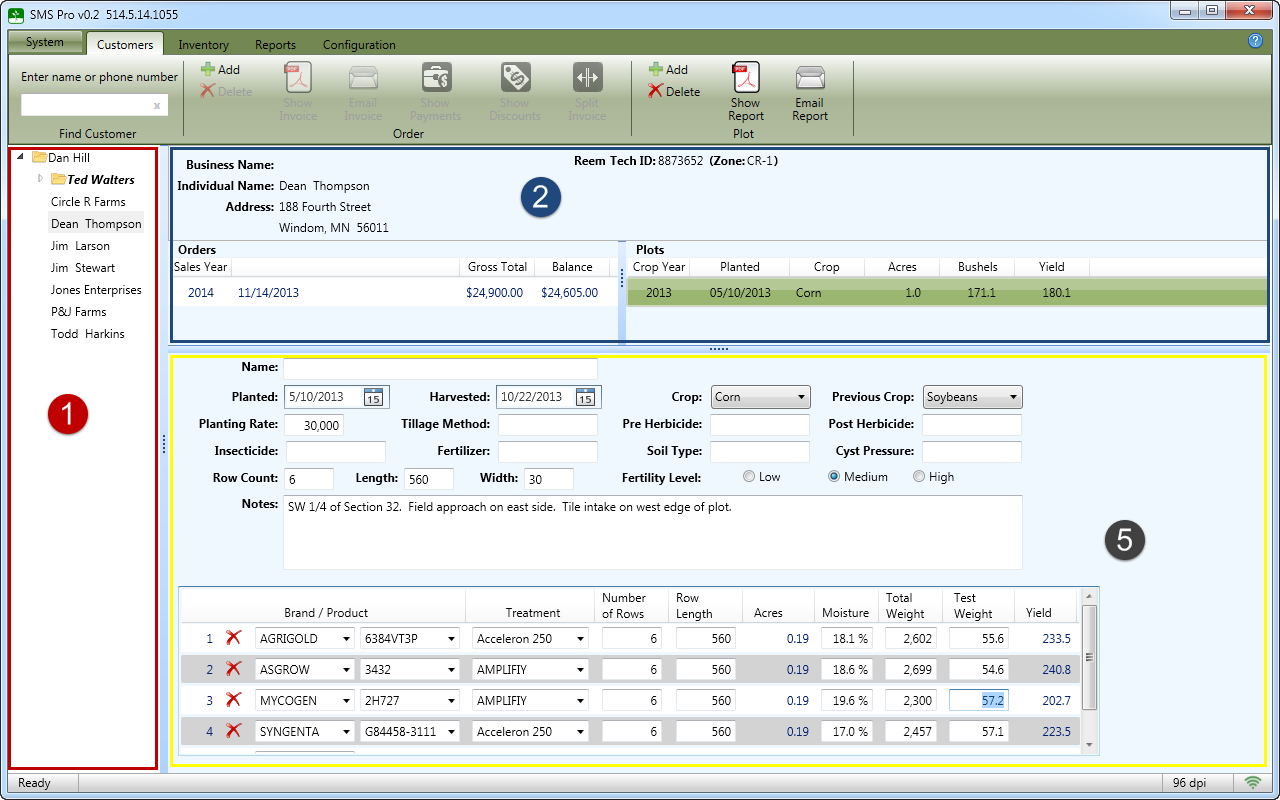
 The customer listing allows quick access to all customers and sub dealers. To edit an item, right click on the item and select Properties. To add an new customer, right click on the dealer's name and select Add New Customer.
 The customer summary section displays the customer information including orders and plots
 The order detail section displays the order information
 The product section...
 The plot detail section...