Add


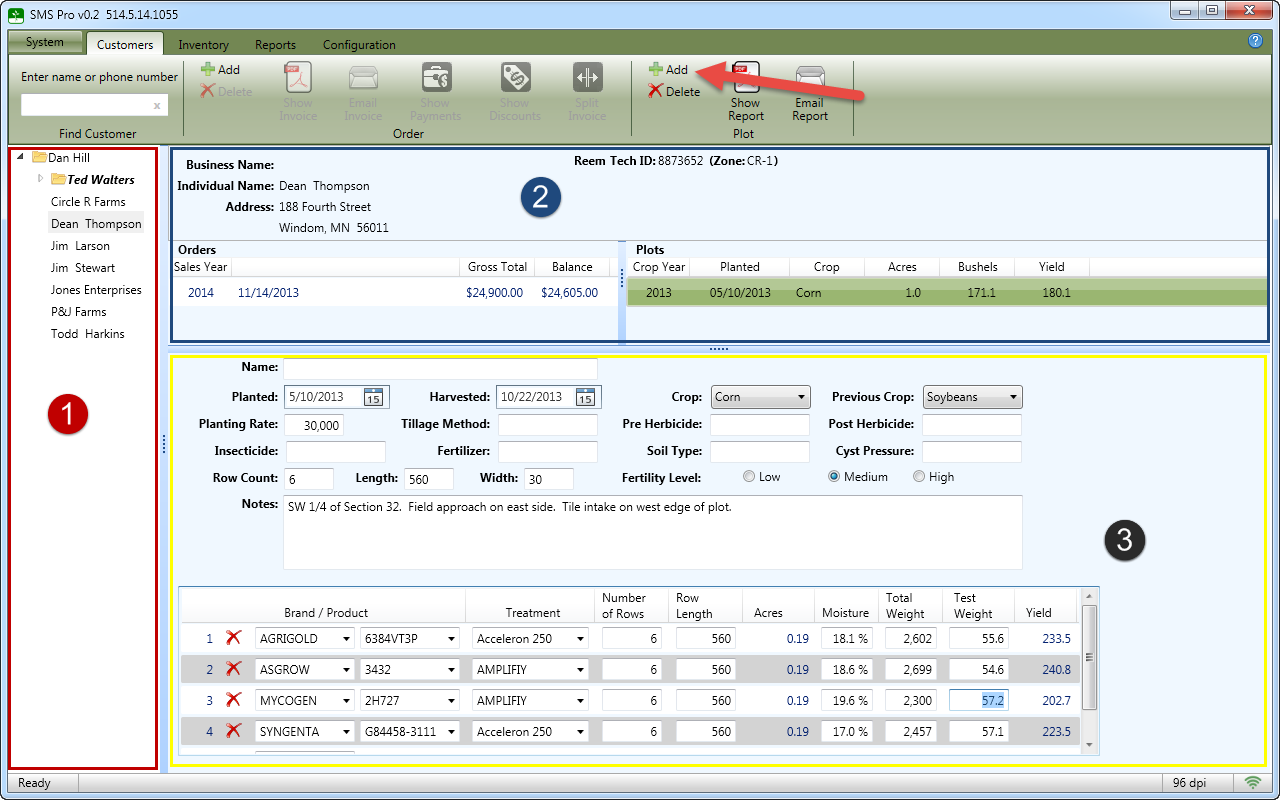
To create a new plot, choose a customer from the list  on the left side of the screen. You should see the customer information displayed in the customer summary section
 . After clicking the Add button at the top (as shown with the red arrow), another plot will be added to the plot list and the plot detail section
  will be cleared out.