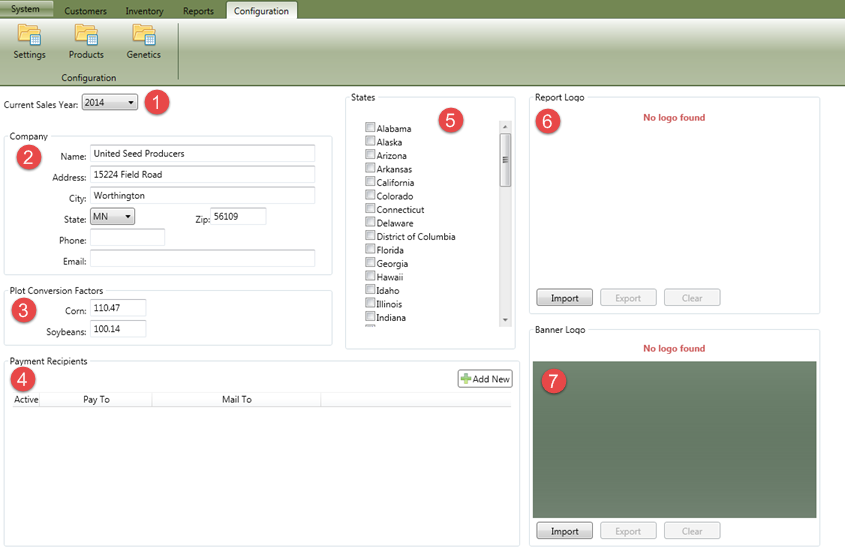
This screen allows the user to maintain information that is used through out SMS Pro.
These include:
- Current Sales Year - This determines the sales year for all orders and inventory transactions. Also filters the reports to year specified.
- Company - The company's contact instead of the dealer's contact information.
- Plot Conversion Factors - This specifies the percent of moisture that the yields should be calculated to for uniformity.
- Payment Recipients - These are used to specify to whom payments should be made to at the bottom of an invoice.
- States - This allows the user to "filter" out states that are not active for any of your current customers and reduces the options available in the drop down list.
- Report Logo - This is the logo used for reports and invoices that do not have a logo loaded for the product line that the invoice is related to.
- Banner Logo - This is the logo displayed during the application start up.